Google Wallet event pass: the credential that doesn't get lost
The link gets buried in the chat and there's no signal at the door. We shipped the Google Wallet pass: the same credential, on the phone, offline.
Ten to nine, the queue is moving, and somebody is scrolling frantically through WhatsApp looking for a message from three weeks ago.
They find it. They tap the link. The page starts to load. And it doesn't load, because four hundred people are all hanging off the same antenna in the same hall, and because the browser session expired, and because it's a different phone.
It isn't a software problem. It's a problem of where the credential lives.
The pain: a link is not a ticket
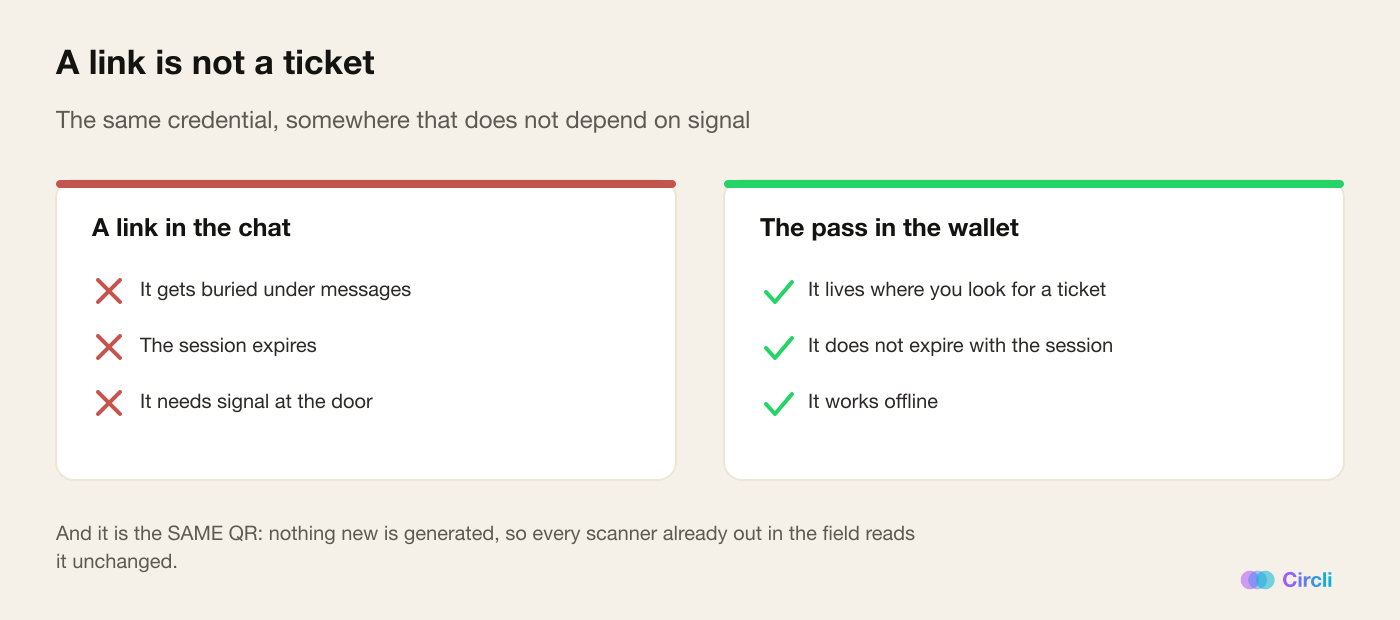
For the attendee, the "we'll send you the link" model has three failures that only show up at the worst possible moment:
- It gets buried. A message from three weeks ago is twenty conversations down. Nobody archives their messages.
- It expires. Sessions lapse, people switch browsers, somebody opens the link in another app's built-in browser and then can't find it again.
- It needs internet. And the hall of an event at nine in the morning is, without exaggeration, the worst place in the world to depend on signal.
For the organizer, every one of those cases is a person standing at the door who needs a human being. Multiply that by five percent of a queue of four hundred and you already have somebody on the team dedicated to fixing credentials instead of welcoming people.
A ticket shouldn't depend on having signal. It's the one moment of the event where you can safely assume you won't.
What we shipped: the same QR, in the phone's wallet
On their event profile, underneath their QR, the attendee now sees Google's official button: Add to Google Wallet. They tap it and their credential is saved on the phone, like any boarding pass.
And here's the decision that makes all of this work: the pass carries exactly the same QR they already had.
No new code is generated. Nothing is reissued. It's the same Mi Tarjeta ("my card") QR that lives in the portal, byte for byte. Which means every scanner already out in the field reads it with no changes at all: the one at the door, the ones at the booths, another attendee's phone that wants to connect.
It's a rule we imposed on ourselves from day one and it keeps paying off: a code is issued once and never regenerated. Every time somebody proposes "let's generate a new code for this", the answer is no — because a new code kills every one that has already been printed, saved or shared.
On the pass the attendee sees the event name, the logo, the venue, the date and time, their name, the QR, and a link back to the portal.
What the pass deliberately does not have
The pass carries one single personal detail: the display name. No phone, no email, no counters, nobody else.
And the barcode goes without alternate text. It's a tiny detail with a concrete consequence: if we carried it, the raw URL of the credential would be printed underneath the code, visible on the phone's lock screen, in plain view of anybody looking over a shoulder in the queue.
Offline, which is the whole point
A pass saved in the wallet works without internet. It's on the phone, not on a server.
That turns the worst-case scenario — the saturated antenna in the hall, the basement with no signal, the foreign visitor with roaming switched off — into a non-event. The person opens the wallet and shows the code. The door scans it. Done.
It is, by a distance, the main reason we built this.
It sends nothing (and why that's a decision)
This switch is the credential only. On its own it sends no notifications at all. We could have used it as a message channel into every attendee's phone, and we explicitly decided not to.
Notices to the saved pass do exist, but they are a separate feature, with their own switch and their own budget. The reason is a hard limit: Google caps notices at three per pass every 24 hours, and returns an error on the fourth. That isn't a communication channel: it's a scarce resource.
So we treat it as one. When the organizer goes to send a notice to the pass, the panel shows them how many of the day's three are left before they spend one.
A product that lets you spend a scarce resource without telling you how much is left isn't a product: it's a trap. We'd rather the number were in plain sight.
The details we learned the hard way
- The logo took a while to show up, and the cause was a redirect. Google's brand rules say, in so many words, not to redirect to image files. Our root domain redirects to
wwwon every path, so a logo pointed at the root domain never arrived. The URL is now absolute and direct. - Every call to Google gets five seconds of patience. They are all standing behind a button somebody has already tapped; if Google is slow, we'd rather degrade than leave the person staring at a blank screen.
- The time carries no timezone, on purpose. An event at 09:00 in Mendoza has to read 09:00 wherever the phone happens to be. An attendee who flew in from another country doesn't want their credential translating the schedule for them.
- Three gates, all closed by default. The global flag, the event switch and the Google credentials. If any one of them is missing, the button simply isn't drawn. What can never happen is the button existing and the route behind it failing: throwing an error at the screen of somebody who is fighting to get in is worse than not offering them the button at all.
- Saving twice doesn't create two passes. The identifiers are deterministic, so the second tap resolves to the same pass.
And one piece of honesty about measurement: we count how many people tap the button, not how many passes were saved. The save confirmation happens on Google's side. When we say "taps", we mean taps.
Why it changes the event
For the attendee, the credential stops being something to find and becomes something they have. It's in the same place they keep the boarding pass and the supermarket loyalty card — which is, exactly, where the brain goes looking for it.
For the organizer, the door gets faster and, above all, more predictable. Fewer odd cases, fewer people asking for help, less dependence on a network that on the day of the event is never up to the job.
How to turn it on
It takes two switches — the platform-wide one and the event one — plus the Google credentials configured. It's turned on from the admin panel, not the organizer panel: the integration rests on a single service account shared by the whole platform, so if it ever has to be cut off, it gets cut off in one place and not event by event.
Running an event where the door matters? Discover Circli Events or reach us at events.circli.app.